
1.) Navigate to the Settings page
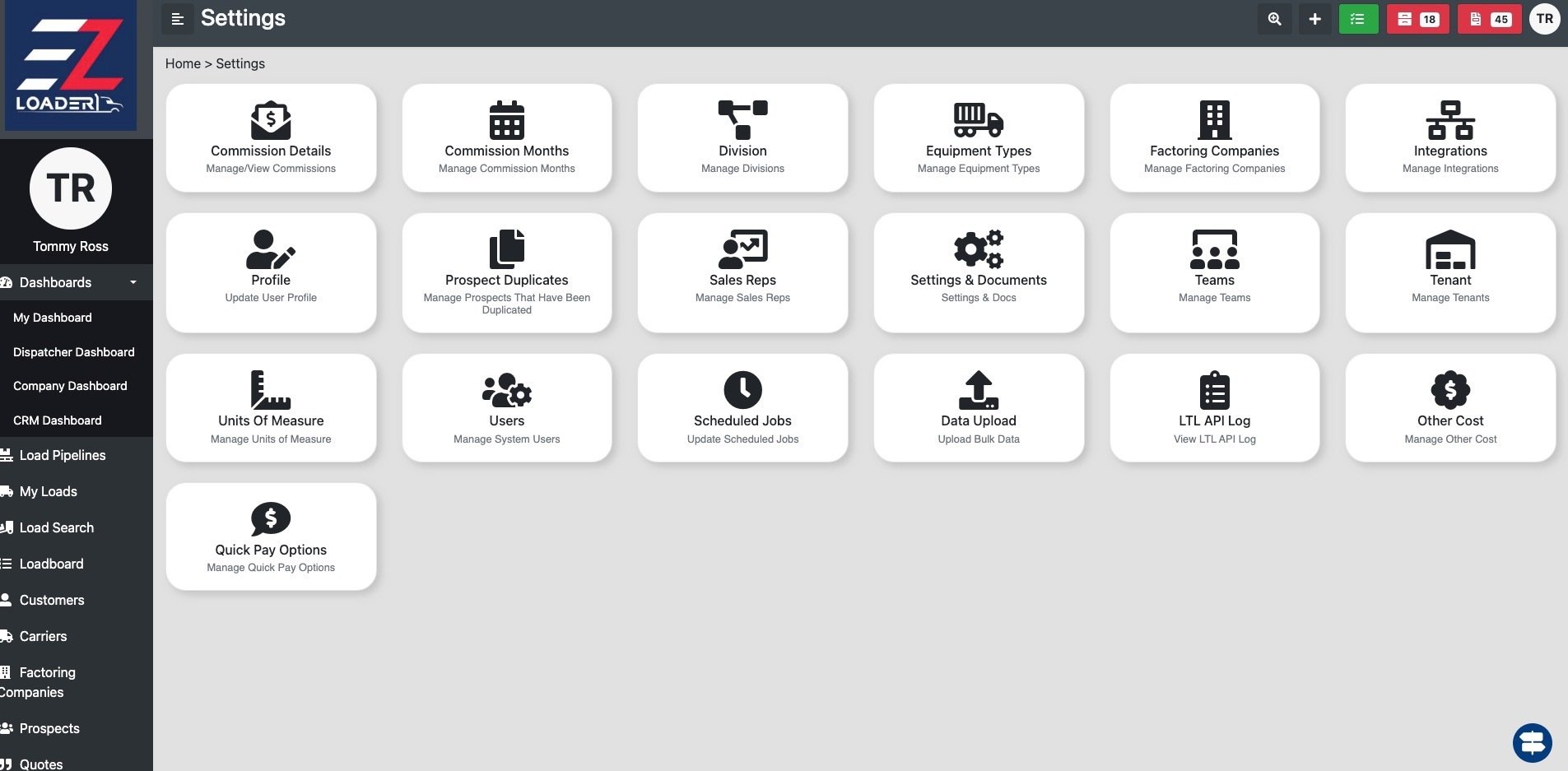
2.) Select Integrations>Truckstop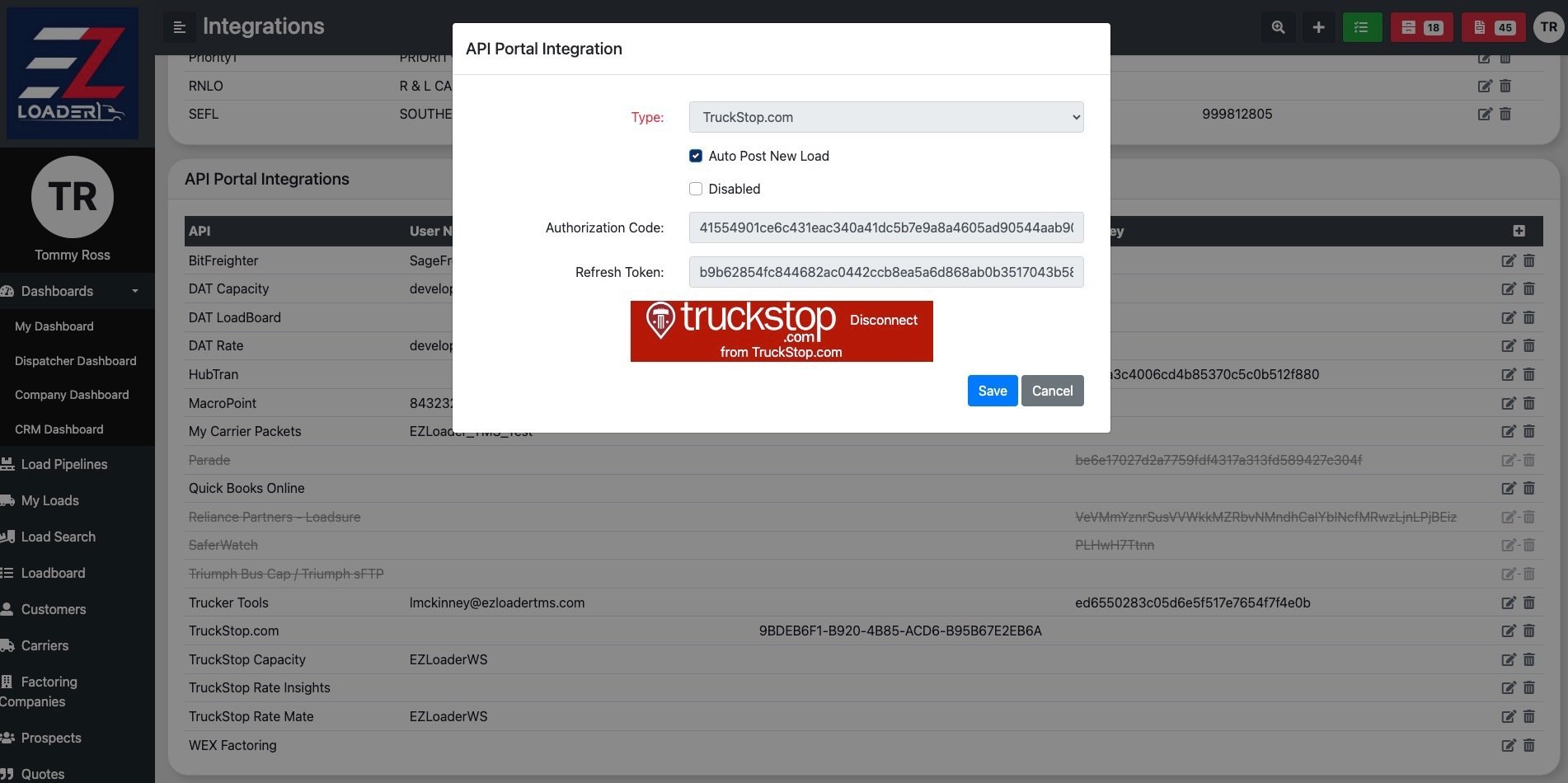
3.) Then the user will need to select the Red button to disconnect from Truckstop, then press the red Truckstop button again to reconnect the integration to get a new Token and resolve the "Invalid Grant" error message