Overview
Sales Rep profiles link individual users to key records such as load and customer profiles, and control certain dashboard and reporting options. In general, every user seat should have a Sales Rep profile tied to their user seat to ensure accurate tracking and reporting.
Creating a Sales Rep Profile
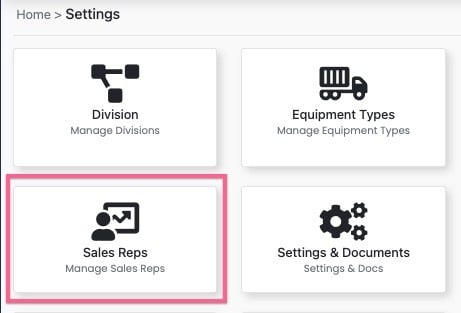
Step 1: Users with appropriate permissions navigate to Settings > Sales Rep Card.
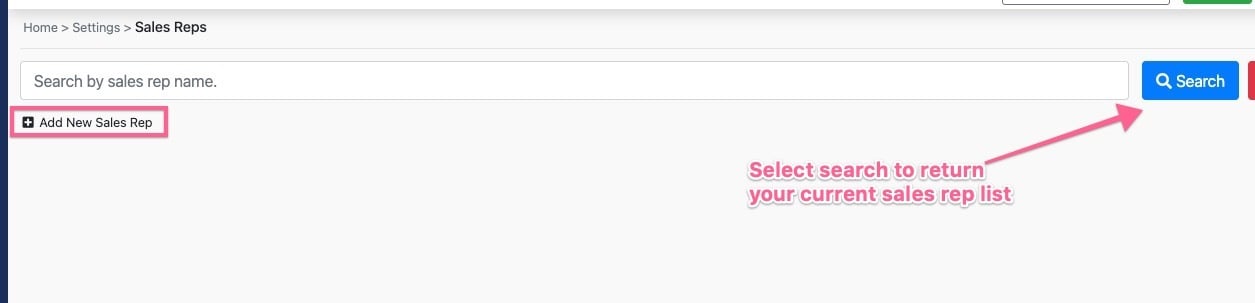
Step 2: Select "+ Add New Sales Rep"
Step 3: Enter Sales Rep Info and select save
Required fields are highlighted in red but we also advise entering the users email address.
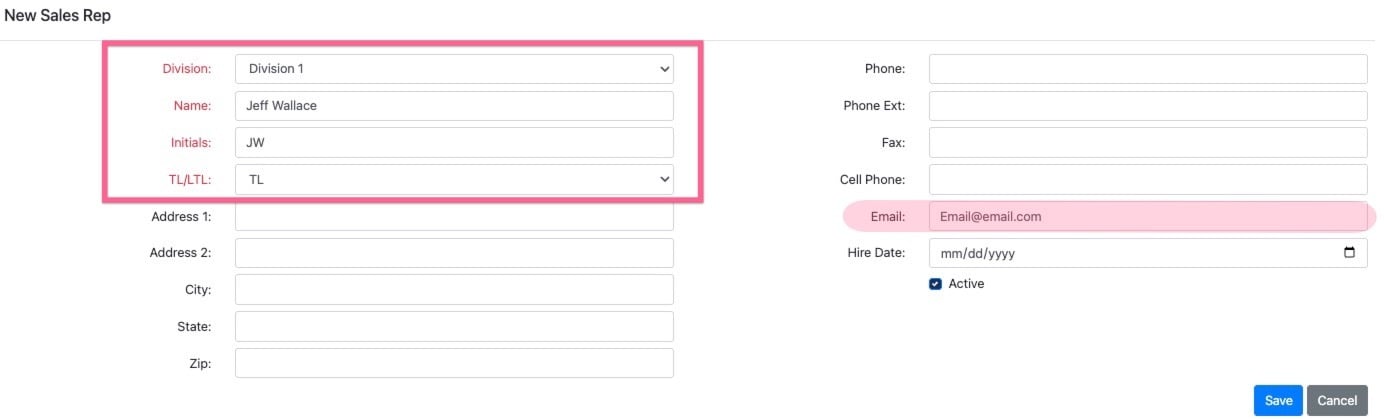
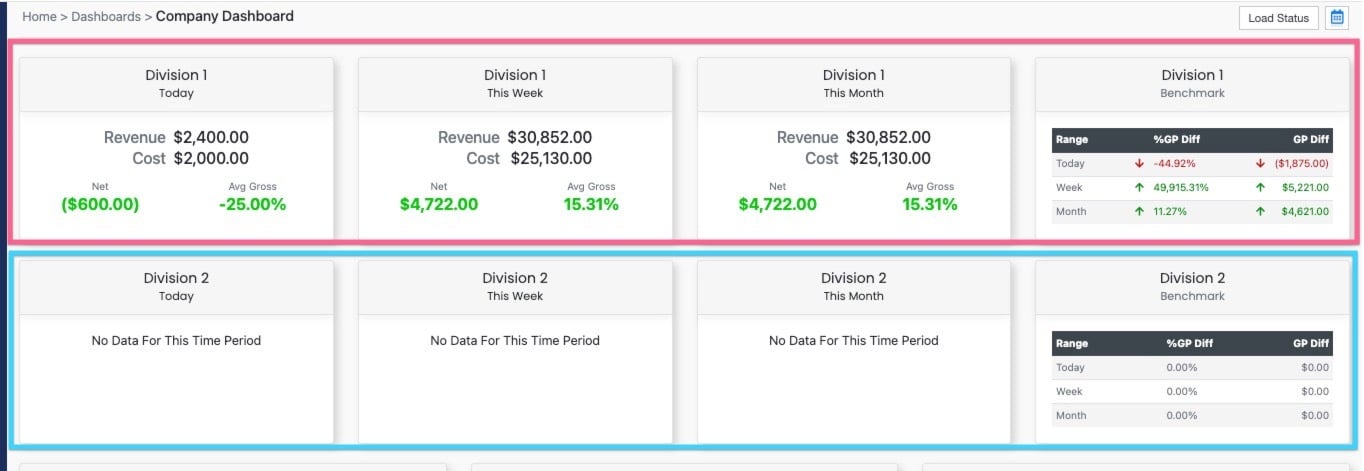
The value in the Division dropdown determines which section of the company dashboard the user will be reported in. Note: Most accounts will only have a single option in the Division drop down.
Step 4: Once the Sales Rep profile has been created you are now ready to build their user profile!
Click Here for Guide for Adding a User
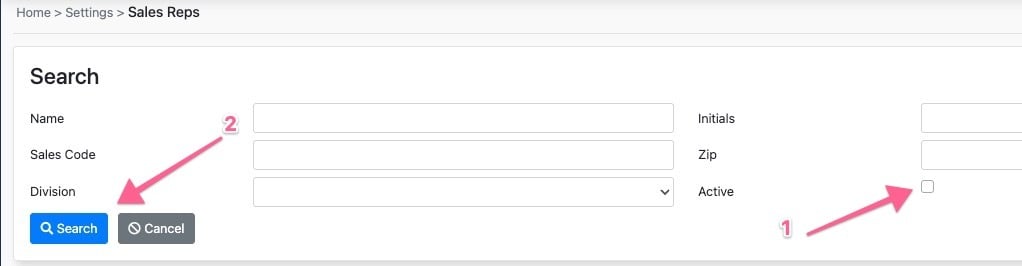
Searching for Inactive Sales Rep records
Step 1: Select the Advance Search Option

Step 2: Deselect the Active Checkbox and Select Search