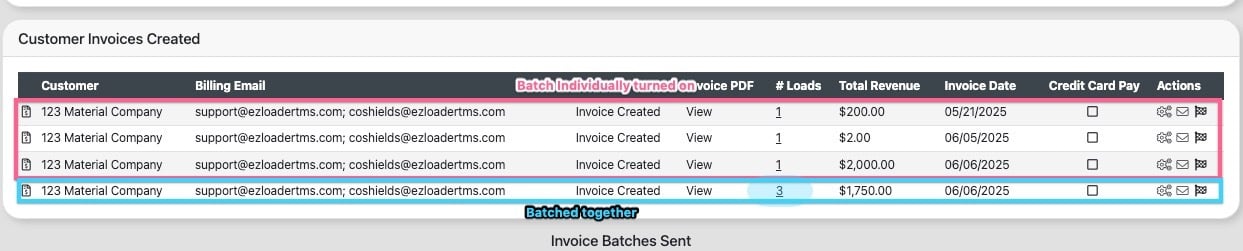
The settings listed below, once activated, will automatically be applied as defaults for any new customers added to your account.
Require PO#
When enabled, any load for this customer will produce an error message if you attempt to change the status to delivered without a PO # entered.


Require Reference Num
When enabled, any load for this customer will produce an error message if you attempt to change the status to delivered without a Reference # entered.

Require POD
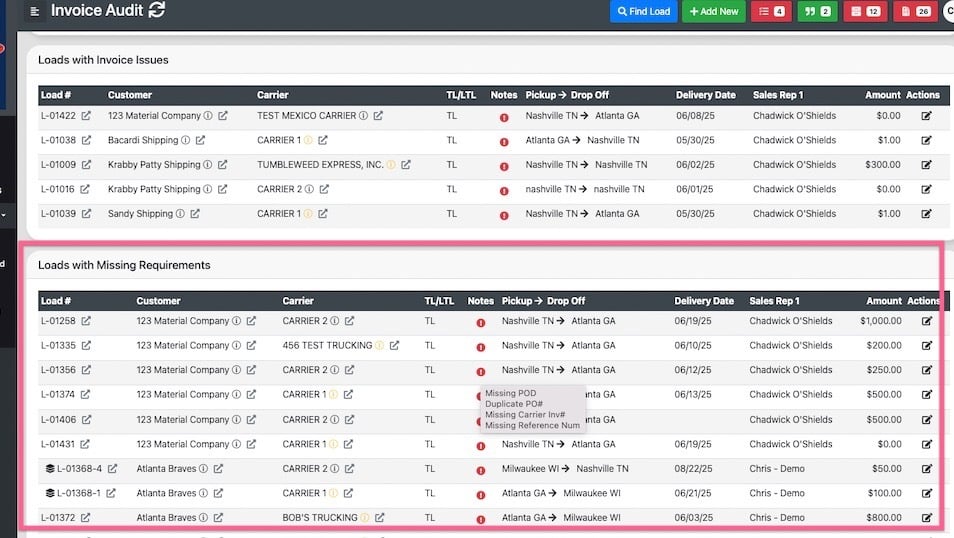
When enabled, any load for this customer will display in the "loads with missing requirements" section of the audit page if a POD is not uploaded into the load profile.
Require Carrier Invoice
When enabled, any load for this customer will display in the "loads with missing requirements" section of the audit page if a Carrier Invoice is not uploaded into the load profile.
Require Carrier Inv#
When enabled, any load for this customer will display in the "loads with missing requirements" section of the audit page if a carrier invoice # is not entered into the load profile.
Require Invoice Audit
When enabled, any load for this customer will flow through the invoice audit page regardless if all requirements are met
Require No Doc for Invoice
When set the system will not provide any alerts for missing documentation prior to invoicing