Functionality
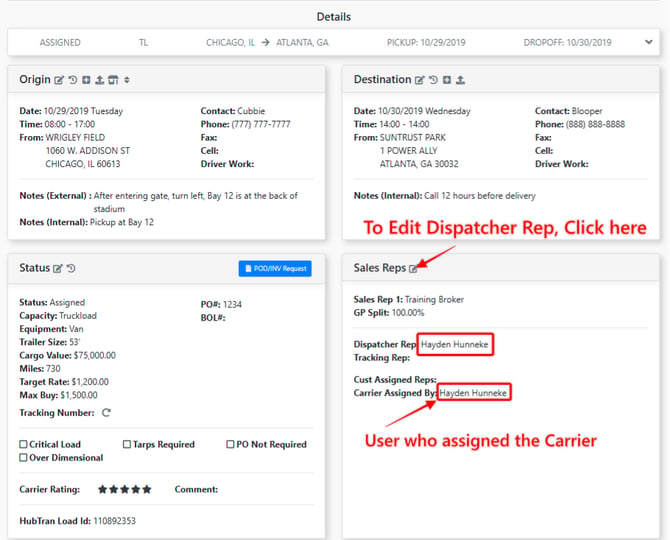
The Dispatcher Rep on a load will have visibility to the load and can maintain, track, and move it through the different load statuses.
Account Settings
There are three account level settings that determine how the Dispatcher Rep field functions when the Carrier on a load is Changed.
***Note - Upon Carrier assignment (If no Dispatcher Rep is set) the Dispatcher Rep will always be the User who assigned the Carrier.
1) Update Dispatcher Rep if current Carrier Assigned By = Dispatcher Rep
- When a Carrier is changed on a load, this setting will only update the Dispatcher Rep if the last User to assign the Carrier to the load = the current Dispatcher Rep
- If a Dispatcher Rep is manually set to a User (other than the user who assigned the Carrier) The Dispatcher Rep will not update if the Carrier is changed
2) Always Update Dispatcher Rep to Carrier Assigned By
- When a Carrier is changed on a load, utilizing this setting will always Update the Dispatcher Rep to the User who assigned the new Carrier.
3) Never Update Dispatcher Rep if Set
- When a Carrier is changed on a load, the Dispatcher Rep will never change automatically.
- Only manual adjustments to the Dispatcher Rep work when utilizing this setting
To edit the dispatcher on the load open the Details Section > Edit Sales Reps Card > Type In User Name
Setting Up your New My Loads Page as a Dispatcher
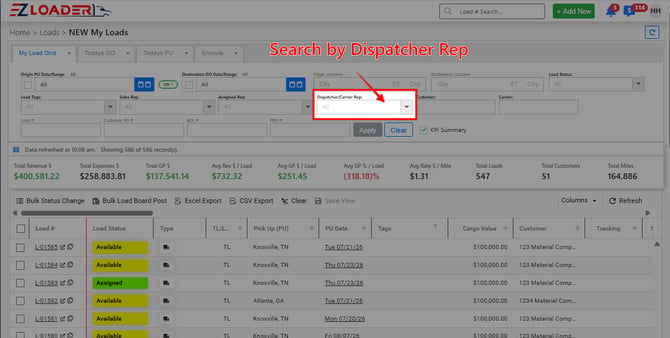
An effective way to stay updated on the loads for which you are designated as the dispatcher is to modify the default search settings on your My Loads Page.
To customize your default search settings to view your loads on the New My Loads Page, click on the Dispatcher/Carrier Rep filter, then, input your name. This adjustment will display all loads for which you are designated as the dispatcher.
For more on the New My Loads page, Click Here
Using the Load Search function as a Dispatcher
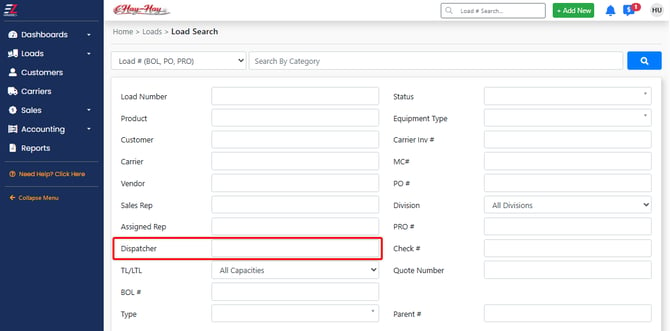
You can also filter loads on the load search page by the dispatcher assigned to each load. This allows you to easily find and manage loads based on the designated dispatcher.